Read Time: 8 minutes
My 5 “Can’t Live Without Content Tools” at the Moment
Some years (most?), LinkedIn feels like a slog. You’re showing up, you’re posting, you’re trying… and the results are fine, but not thrilling.
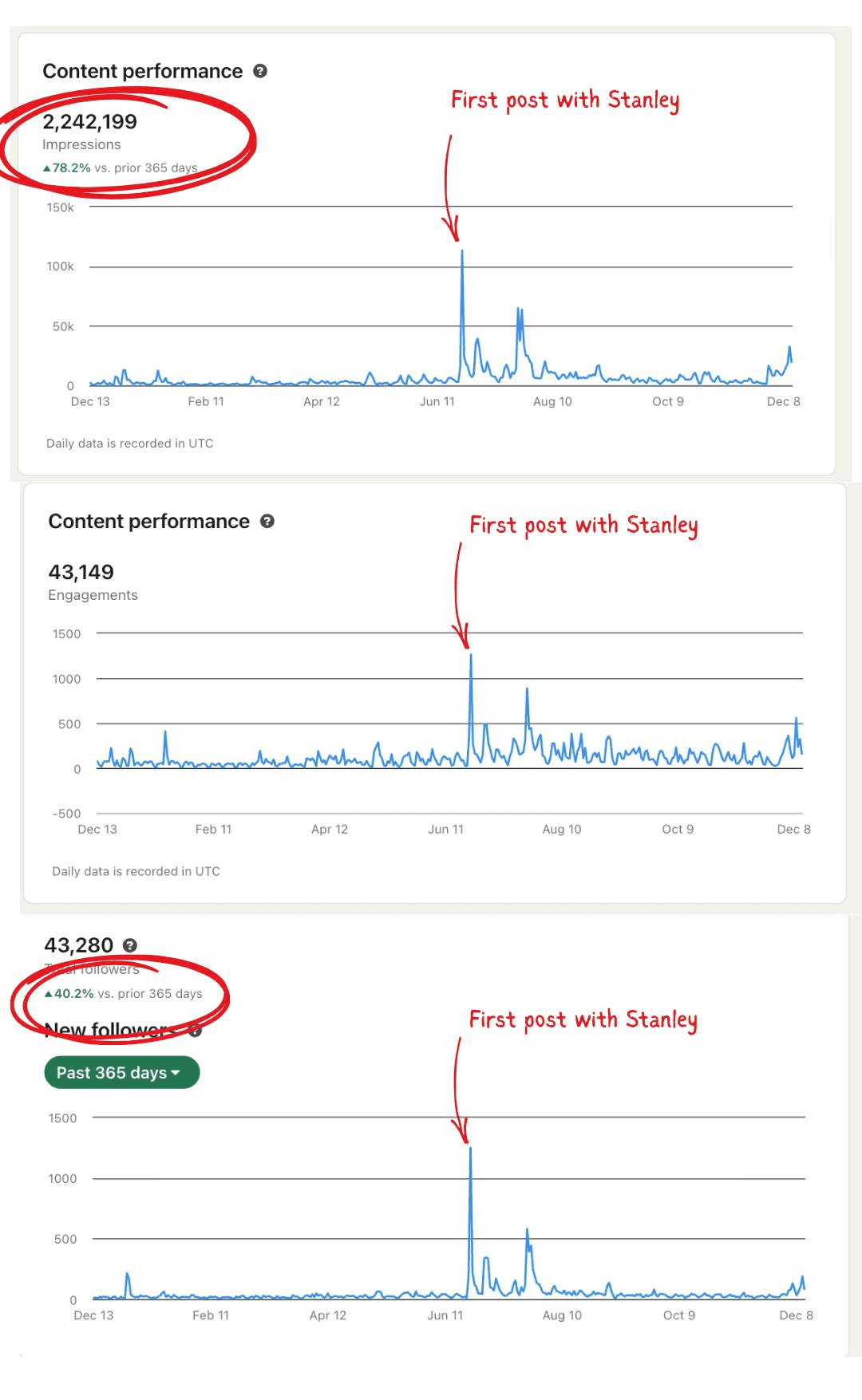
This year wasn’t like that for me. It was my best performing year on the platform, and a big reason is that I finally stopped relying on willpower alone and over the last 2 years, built a simple “content tech stack” I actually use daily.
If you’re in one of these camps…
You know LinkedIn matters, but you don’t know what to say (or how to say it).
You do know what to say, but you’ve hit a slump, and everything feels a little stale.
…these five tools will help.
Not because tools are magic. No tool is. You don’t need me to tell you that. But the right tools will remove friction. And friction is usually the real reason smart, kind people stop putting themselves out there.
1) Stanley — my “tough love” 5-star content coach
I’ve been creating on LinkedIn since I was 22 years old, which, for those counting (not me), is 14 years. I’m very comfortable creating on this platform. It’s where I’ve shared some of my highest highs and lowest lows. And I’ve had plenty of “viral” posts. But even with all that, stepping outside of myself to objectively observe:
why my audience likes my content and prefers me over other creators
what made one post viral vs. another
what a strong hook is
…well, it’s tough to do. You’re so close to your content, and you spend your days inside your own head. You’re the most biased person (usually in the negative sense) to assess your own brand and content. That’s why I love Stanley. It gives me brutally honest but super helpful feedback to create hit after hit. Example:
👉 Action Step: Want to try Stanley free for a week to see what it can do for you? Use this link to give it the same whirl I did.
2) AuthoredUp — the best LinkedIn “command center” I’ve found
AuthoredUp is the most useful “native LinkedIn” tool in my stack.
What I love about it:
Post preview that shows you exactly how your post will look before you publish.
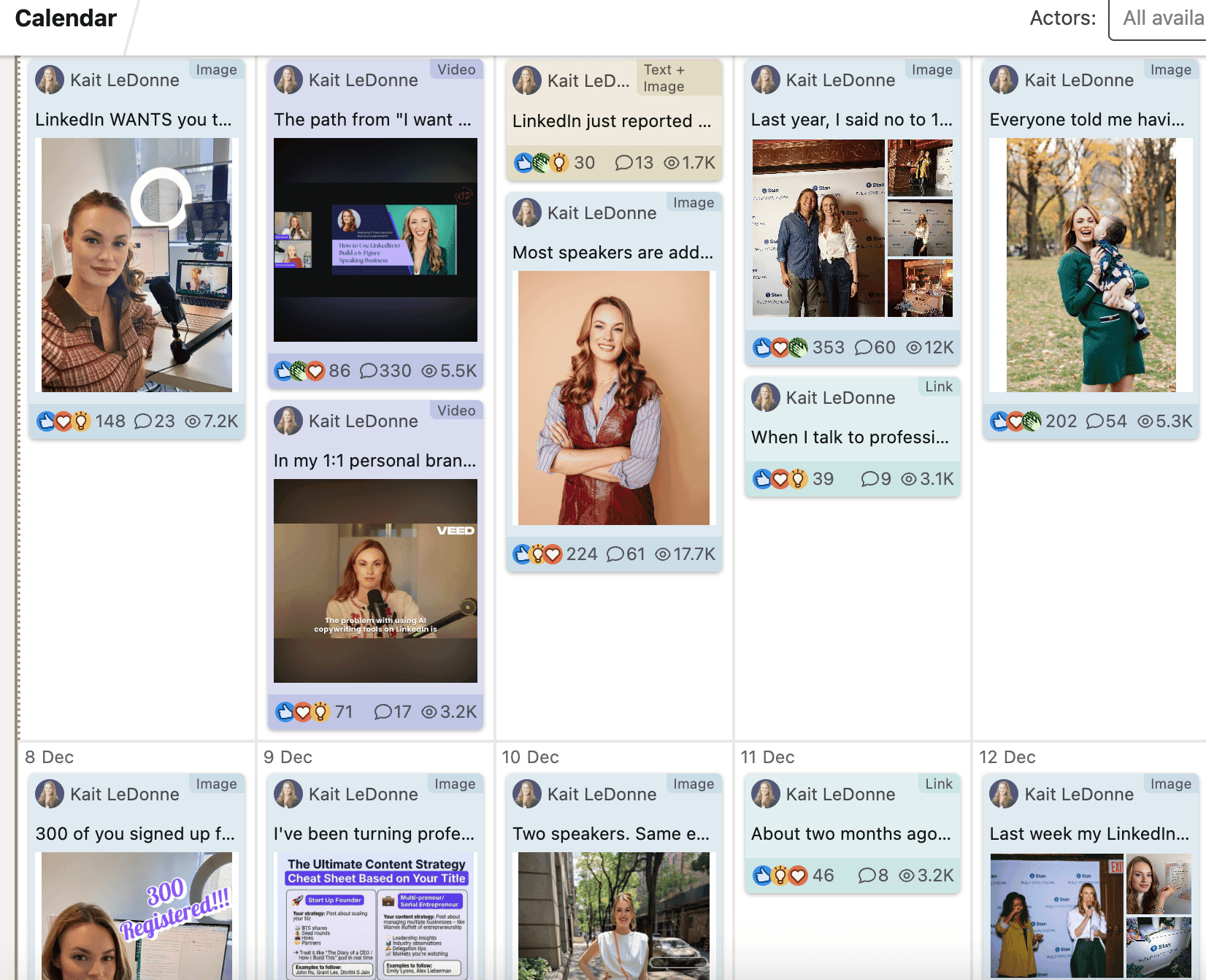
Visual scheduling so you can see your week at a glance (this alone saves me).
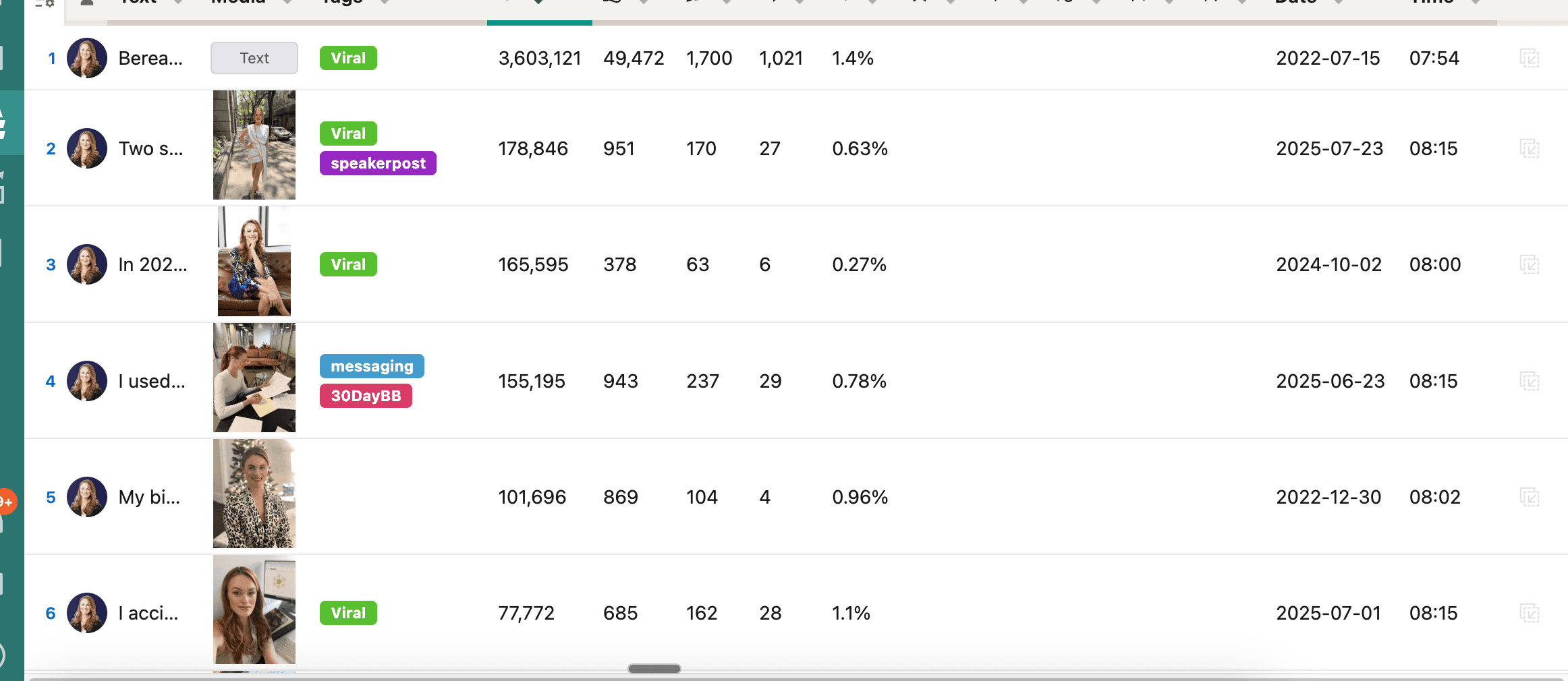
Tagging + systemizing: I tag posts as “viral,” “evergreen,” “story,” “how-to,” etc., so my best ideas don’t disappear into the abyss.
Analytics that actually help you make better decisions, not just admire numbers.
My tip: Create a “hits folder” (tag) and make it a rule: every week, resurface one strong performer and reframe it. Not because you’re out of ideas, but because repetition is how messages land:
AuthoredUp makes looking at my scheduled content a breeze:
👉 Action Step: Sign up for authored up here: Set up your account
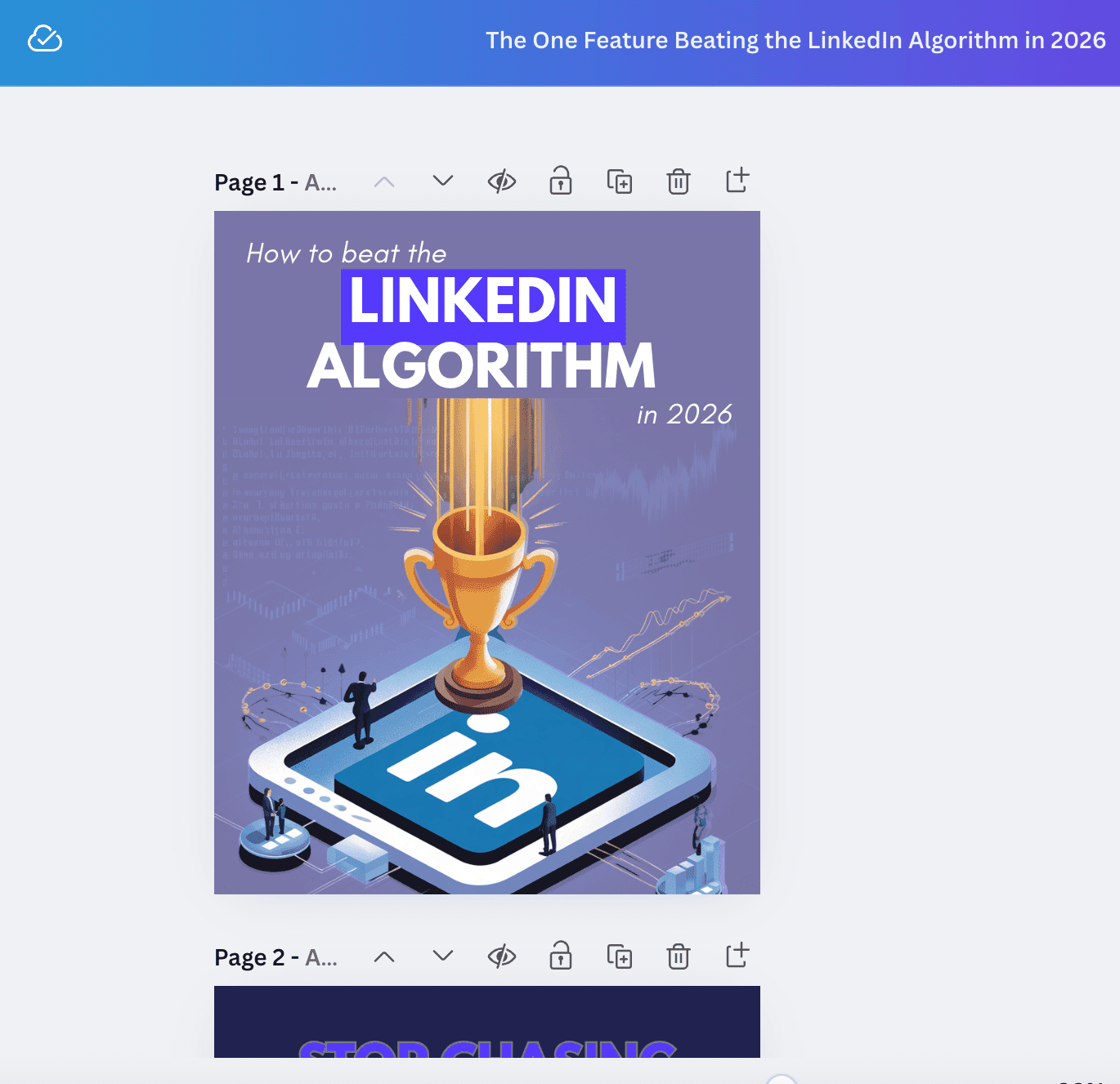
3) Canva — yes, it’s obvious, and yes, I use it constantly
Canva has reached a level of ubiquity where recommending it almost feels anticlimactic.
But I’d be lying if I left it out, because I genuinely use it almost every day.
I use Canva for:
Carousels (obviously)
Resizing screenshots for posts/newsletters
Quick GIFs
Simple visual callouts that make a post easier to read
Brand Kit (quietly one of the biggest benefits for consistency)
Canva eliminated a huge block for a lot of people: “I don’t have a designer.”
You don’t need one to start.
My tip: Don’t overdesign. The goal is clarity, not a portfolio piece. Clean typography + spacing beats fancy graphics 99% of the time.
4) Google Gemini — my current favorite for infographic-style visuals
I’m going to say something mildly scandalous: I’m in a very committed relationship with ChatGPT… and still, Gemini is the tool I’ve been leaning on for visual creation.
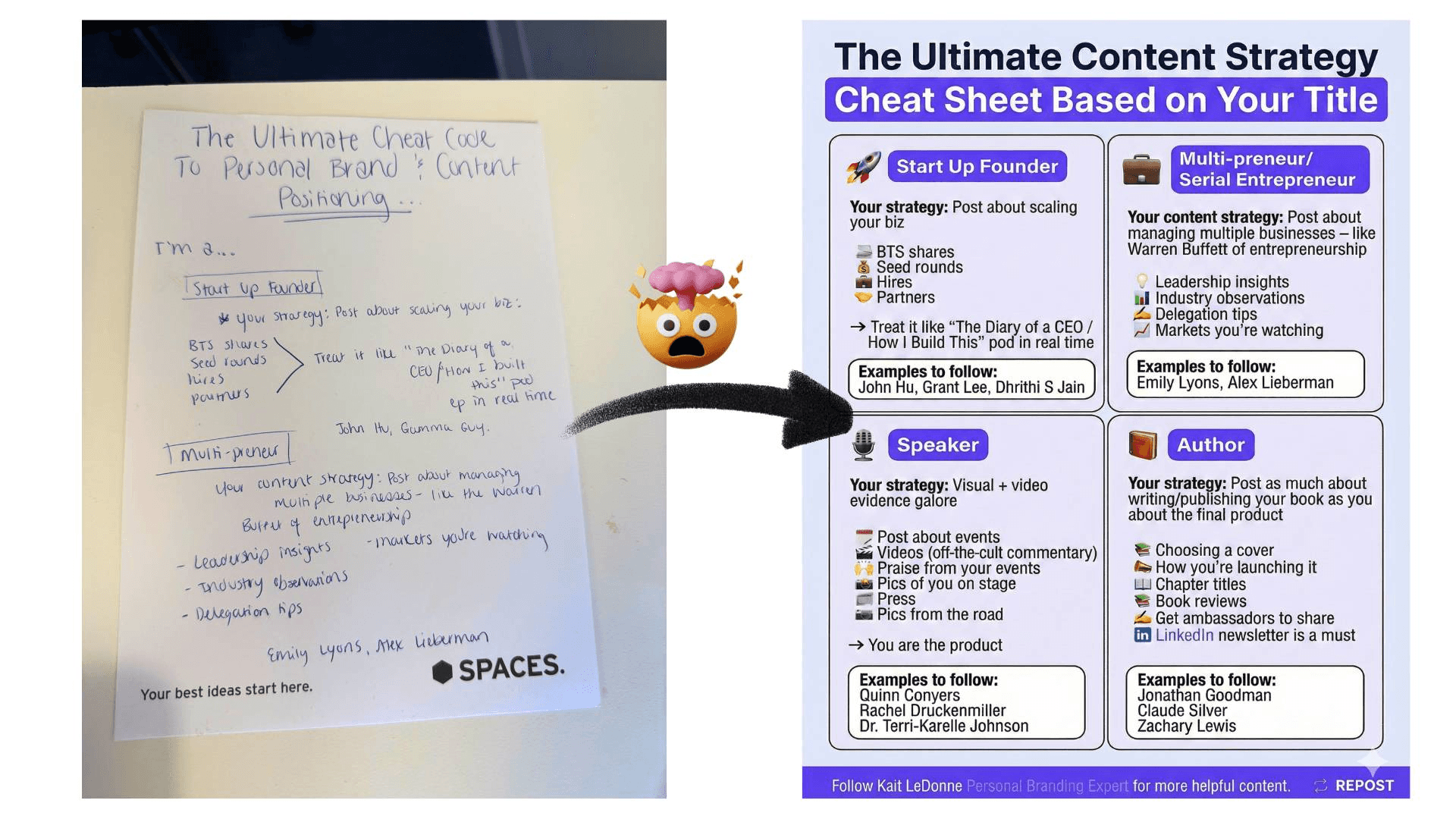
Gemini is incredibly good at taking a concept and mapping it into an infographic that performs well on LinkedIn.
One of my favorite workflows:
I handwrite messy notes (literally).
I take a photo.
I upload it to Gemini and say: “Transcribe this text and turn it into a clean infographic.”
It goes from hand-scribble to publishable visual shockingly fast.
My tip: Your first draft can be ugly. The tool doesn’t need you to be polished — it needs you to be clear.
5) Notion — the tool that keeps everything (and everyone) on the same page
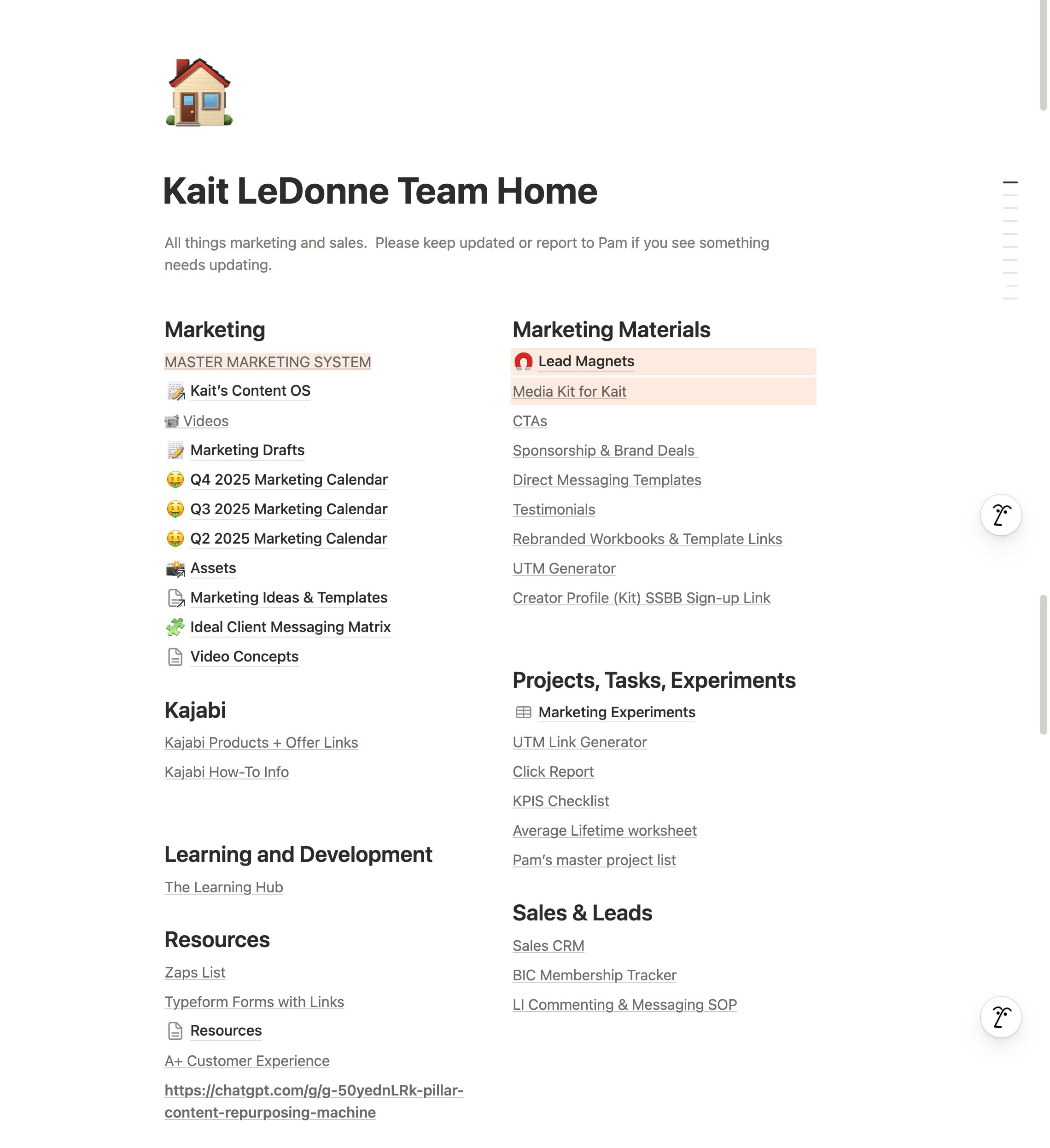
Notion is my “home base,” especially as my work has become more collaborative.
Why I love it:
The interface lets you see calendar + content + notes without bouncing between docs and sheets.
It feels like Google Docs and spreadsheets had a baby… and the baby is organized.
It’s become my go-to for working with external partners, especially sponsorships and partnerships:
shared briefs
deliverables
RFP-style info
keeping everything clean and trackable without email chaos
My tip: If you work with anyone outside your team, shared Notion pages instantly reduce the “Wait, what version are you looking at?” problem.
☝️ Remember, the point of tools isn’t more tools
In fact, tool oversubscription can lead to analysis and a quiet cash bleed of unchecked subscriptions (guilty as charged).
But the right few tools can rapidly speed things up. So, if you’ve been waiting until you have more time, more clarity, more confidence, more energy… this is your sign that you don’t need more of any of that.
You need a system with a tech stack that makes publishing feel lighter.
If you try just one thing this week, do this:
Pick one tool from this list.
Use it for seven days.
Treat it like an experiment.
Happy creating! Cheering for you.