Read Time: 8 minutes
How I Create a Month of LinkedIn Content in 90 Minutes (and how you can, too)
Overview: This is a 7-step playbook to create 12 LinkedIn posts in a matter of minutes. The tools and steps mentioned in this article are exactly what I use to create high volumes of higher-converting content on LinkedIn.
There’s an unnerving myth in content marketing that quality takes days. And yes, that can certainly be true. Two weeks ago, I toiled over a carousel post for three (THREE!) hours. It did ok, “well” even, but not enough to justify my time suck as a business owner.
If you feel the same, that content takes hours of your time and a ton of your mental capacity, and you have nary a meeting to even show as a result, this article is for you.
The truth is, quality content — content that connects with your ideal clients and converts them — should not take days; not if you treat it like a system instead of a one-off performance. So, I’ll show you the exact, repeatable process I use: clarify, draft two long-form articles, feed them to an AI assistant, have ready-to-go imagery, sprinkle in personality posts, and schedule. Ninety minutes later, you have 12 thoughtful LinkedIn posts that actually move people. No drama, no creative paralysis, and certainly no desire to launch your laptop against your office wall. (Alright, maybe for other reasons you’ll want to, but not because of content!)
Let’s start with a mindset shift…content is leverage, not a weekly to-do
Most people approach content as a calendar checkbox. That’s inefficient. The smarter move is to build a month once and repurpose generously, because long-form thought leadership does the heavy lifting for your smaller, everyday posts. This is the reason I insist on long-form first: one article becomes the spine for multiple posts, videos, comments, and newsletter teasers. If you want high-signal output with low ongoing friction, you design the system up front and then let it scale.
This is also a time-management game. When you focus on the few content activities that generate outsized returns, you reclaim hours for high-leverage work, which is oh so important when you sell your brain for a living.
Treating content as an intentional, repeatable routine is exactly that kind of leverage. If you like frameworks, think of this as a 7-step operating system for content: inputs (audience + pain), two long-form outputs, generative tooling, personality prompts, and scheduling.
The 7-step, 90-minute workflow (the exact order I follow)
Step 1:
List your service or product’s target demographic and their specific pain point. Ask: Who are you writing to, and what keeps them awake at 3 a.m.? Don’t be fuzzy—“ambitious mid-career product managers who can’t get internal buy-in” is better than “product people.” The narrower the pain, the richer your examples, and the easier it is for readers to say “that’s me.”
I’m at a point where I know my target demographic like the back of my hand. And yet, I STILL start with this step (no skipping!) every time. It re-orients me to the audience I serve.
P.S. If you haven’t “productized” your brain and method, consider doing this first. This is the crucial first step in being able to book predictable revenue. I covered that in this article.
Step 2:
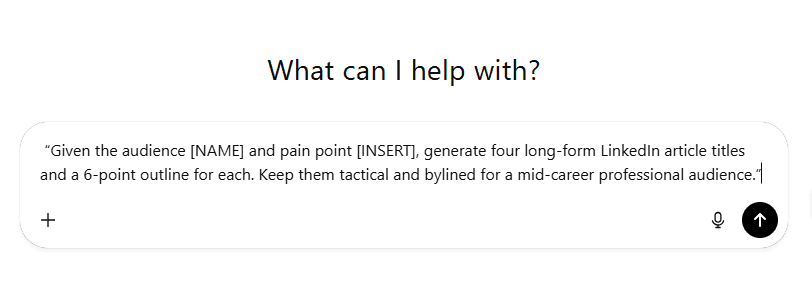
Use ChatGPT (or Claude, or whoever) to generate four long-form article concepts from that specific pain point. Prompt it for headlines and outlines, then pick your top two. This gets you unstuck fast and gives you a clear thesis for each piece. I use that input to avoid blank-page anxiety. I can determine where examples from my business or from research slot in, and I know the journey I’m taking buyers on.
Step 3:
From that list, I draft two long-form articles (these become your core assets). Aim for a minimum viable long form: clear intro, 3–5 tactical sections, and a short conclusion with a single CTA.
I write like I speak—direct, prescriptive sentences—so drafting is faster. This is where content dictation tools like Wispr Flow have helped me increase output. I’m an audible processor, so I talk through the article outline and let the dictation tool and ChatGPT flesh it all out. Because of this, I can reliably bang out two articles in about an hour. (I have the advantage of discipline and many hours of practice, which makes me very fast at this. It’s like building a muscle.)
Step 4:
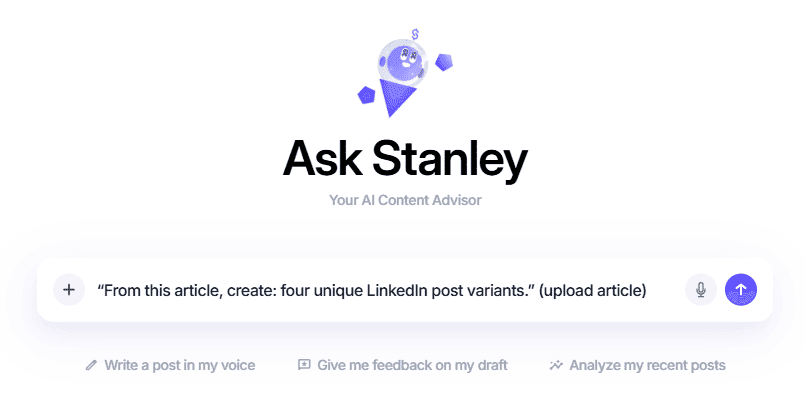
Sign up for Stanley (or your generative-content assistant of choice). To me, most of the content writing tools I’ve tried for LinkedIn are, well, to put it not nicely, garbage. They are essentially ChatGPT presented in a different interface. That’s why I like Stanley, it actually studies my voice, my outperforming posts, and uses tough critiques and editing to make posts that aren’t generic AI slop, but sometimes feel more like me than even I do. (Try it FREE for a week on me by clicking here.)
This is also why it’s so crucial to start with long-form. Because it’s your ideas and dictation kicking off this content production line. You’re not outsourcing ideation and creation to AI. Ironically, the more I’ve used AI to expedite my process, the more I receive feedback that my articles are super in-depth (like this one) while others are generic. Again, I don’t say this because I’m special; I say it because this whole thing literally started with my voice and ideas through dictation.
Anywho, back to Stanley. Upload your article, and ask the tool to generate multiple post variants. The goal here is to turn each article into four distinct LinkedIn posts. When you do this for two articles, you get 8 posts in the bank. If you post 3x/week, that means you have 66% of your monthly content done and dusted.
Step 5:
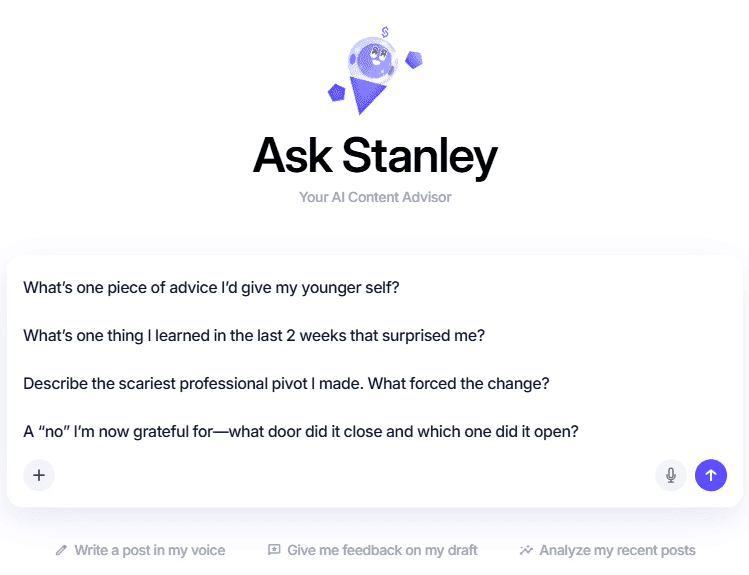
Answer four quick personality prompts to create the remaining posts for the month. Here are some good ones I answer aloud in Stanley using the dictation feature:
What’s one piece of advice I’d give my younger self?
What’s one thing I learned in the last 2 weeks that surprised me?
Describe the scariest professional pivot I made. What forced the change?
A “no” I’m now grateful for—what door did it close and which one did it open?
These round out your 6 “educational” post with personality while not losing the plot of positioning you as a thought leader. It keeps your feed undeniably human and plays to two things the LinkedIn algorithm optimizes for: knowledge and advice.
Step 6:
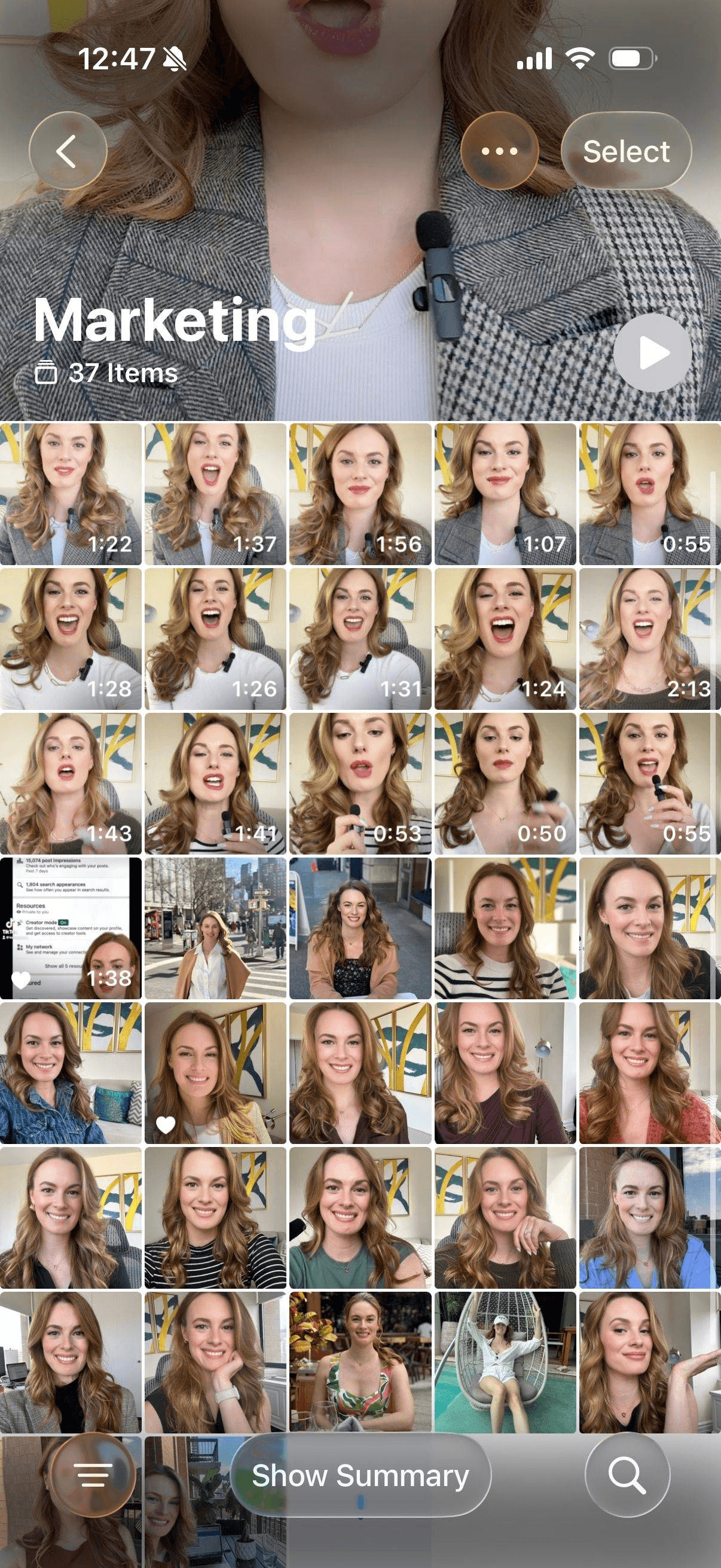
Triage and schedule. Pull the generated posts into your scheduler, add images, tweak tone where necessary, and set posting days. This is where my iPhone photo album comes in extremely handy. I subscribe to the adage “A selfie a day keeps the content in play.” Roll your eyes if you want, but the fact is, no matter how “meh” I feel, I take a selfie: walking down the street, at my desk, etc. Then I save it to an iPhone album called “marketing photos.” When I’m ready to schedule, I pick from there instead of panicking about what to add.
Step 7:
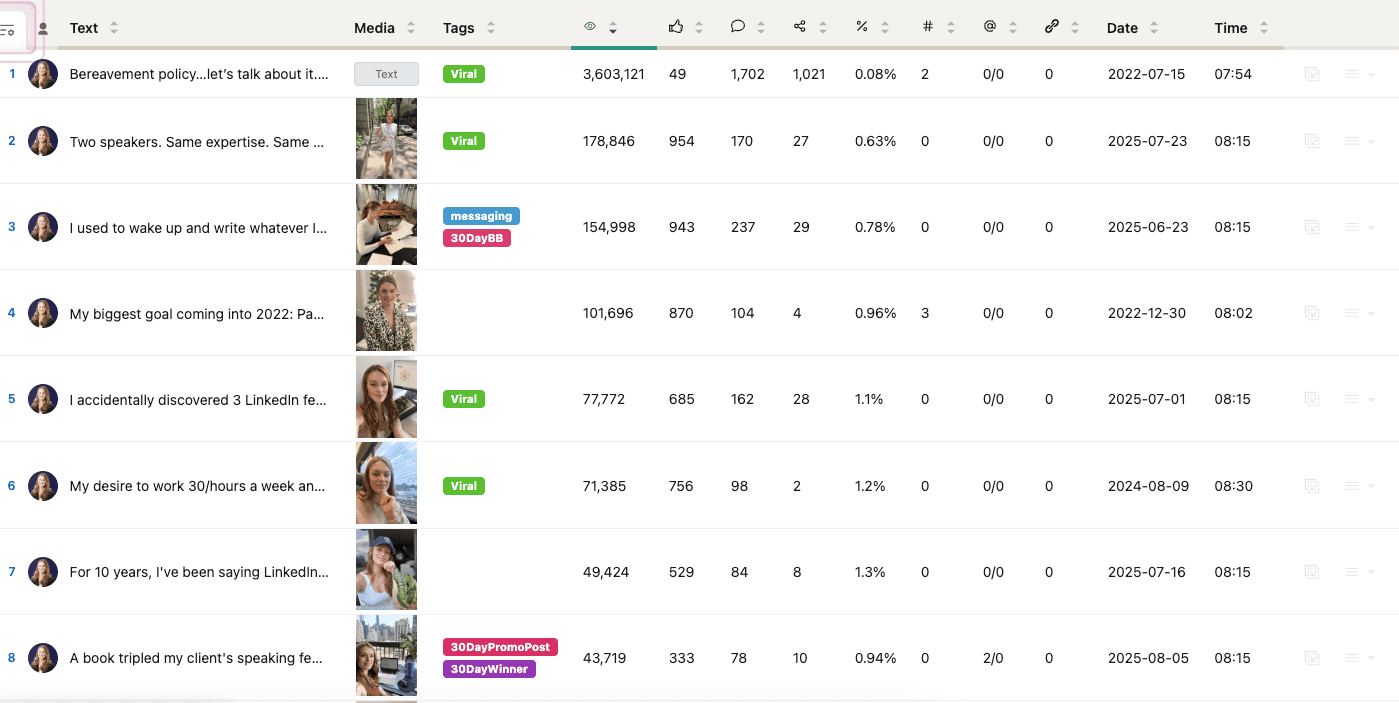
Repurpose and tag. Tag posts that are evergreen and flag top performers for later reuse. Keep a simple sheet: post slug, theme, CTA, evergreen? This is how you build a library that makes the next 90-minute session even easier. I do this using AuthoredUp. I have a whole library of top-performers, especially ones that are proven to convert to sales. This is a case where “spinning the hits” is encouraged.
Prompts that save you time (copy-paste friendly)
ChatGPT headline prompt:
“Given the audience [NAME] and pain point [INSERT], generate four long-form LinkedIn article titles and a 6-point outline for each. Keep them tactical and bylined for a mid-career professional audience.”
Stanley post prompt (after uploading an article):
“From this article, create: four unique LinkedIn post variants.” (upload article)
Personality prompts (paste these as a single block):
“Answer each stream-of-consciousness.
What’s one piece of advice I’d give my younger self?
What’s one thing I learned in the last 2 weeks that surprised me?
Describe the scariest professional pivot I made. What forced the change?
A “no” I’m now grateful for—what door did it close and which one did it open?
Want to see this in action?
On November 12th, I hosted a live workshop, "Create a Month of LinkedIn Content in 60 Minutes. You can watch the replay here.
Grab the accompanying workbook here.